Step-by-step
-
1
Download and install the Send to Kindle app for Windows.
By using Send to Kindle, you agree to the terms here.
Supported File Types: PDF, DOC, DOCX, TXT, RTF, HTM, HTML, PNG, GIF, JPG, JPEG, BMP, EPUB
-
2
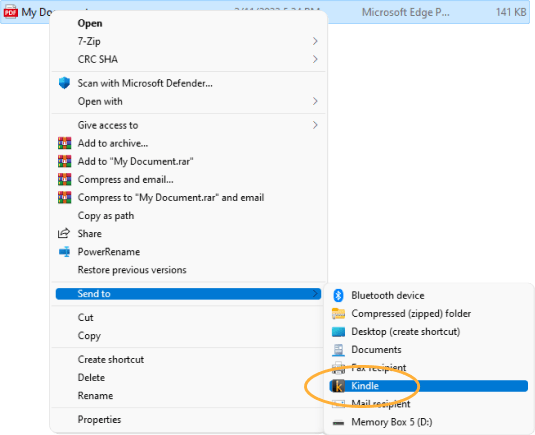
In Explorer, right-click on the file you want to send and select Send to > Kindle
or
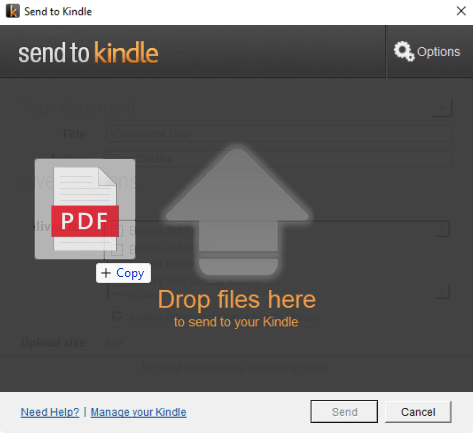
Open the Send to Kindle app to upload by drag-and-drop.