适用于 Windows 的 Send to Kindle

发送一次,随处阅读

Phone, tablet, and e-reader on a blue field, with a paper airplane following a dashed path onto the reader

将个人文档、网页内容和其他文件加入书库,即可在 Kindle 或 Kindle 应用中阅读,并使用阅读进度、笔记、标注、书签等功能。

分步操作

  1. 1

    下载并安装适用于 Windows 的 Send to Kindle 应用。

    使用 Send to Kindle 即表示您同意条款 此处.

    支持的文件类型: PDF, DOC, DOCX, TXT, RTF, HTM, HTML, PNG, GIF, JPG, JPEG, BMP, EPUB

  2. 2

    在资源管理器中右键单击要发送的文件,然后选择 Send to > Kindle
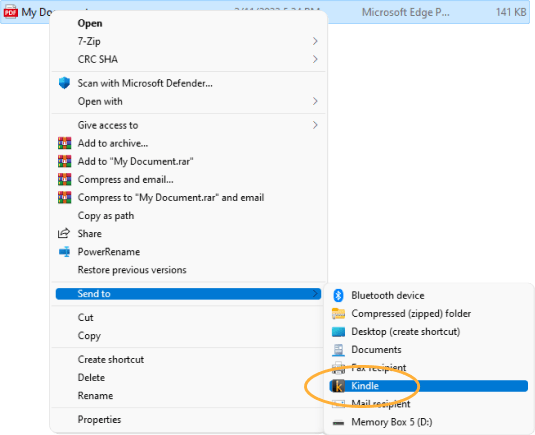
    File Explorer context menu opened to Send to, with Kindle highlighted in the submenu

    或

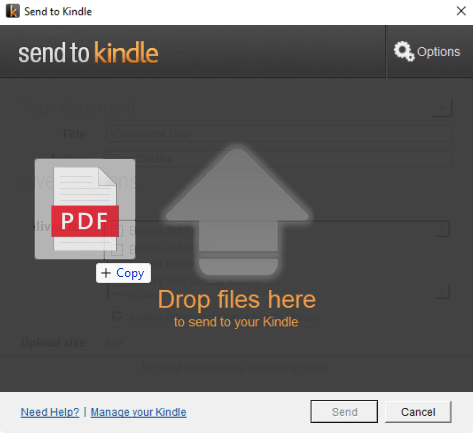
    打开 Send to Kindle 应用,通过拖放上传。

    Send to Kindle window with a PDF page, an upload arrow, and the label Drop files here to send to your Kindle

查看个性化推荐

新客户?从这里开始。

回到顶部